

15 Dec pfSense Plus RELEASE 25.11
pfSense Plus RELEASE 25.11
pfSenseⓇ plus software, Release 25.11, is available now!

Release Details
Netgate Nexus Enhancements: Netgate Nexus, the multi-instance management solution for pfSense Plus, is fully production-ready in 25.11. All API endpoints are now implemented, the GUI is fully functional, and an official API toolkit is available on GitHub. pfSense Plus 25.11 is required to use Netgate Nexus, with licenses for managed instances available separately.
OpenVPN Security Improvements: OpenVPN now enforces stronger cryptography by deprecating Diffie-Hellman parameters smaller than 2048 bits. During upgrade, configurations using 1024-bit parameters are automatically updated to meet the new security requirements.
Platform and Core Updates: This release updates the base operating system and key components, including FreeBSD, OpenSSL, OpenSSH, and PHP, ensuring long-term support, improved performance, and enhanced security.
Networking and Interface Improvements: VXLAN interface support has been reintroduced, along with continued refinements to PPPoE, NAT, and routing behavior. Experimental support has also been added for endpoint-independent, port-restricted cone outbound NAT to better support applications such as gaming, VoIP, and peer-to-peer traffic.
Security Fixes and Stability Improvements: pfSense Plus 25.11 addresses multiple security issues, including fixes related to anti-brute-force protections, DNS resolver updates, and improved handling of system logs and authentication events.
General Bug Fixes and Enhancements: Numerous fixes and refinements have been applied across DHCP, IPsec, OpenVPN, gateways, logging, packages, upgrades, and the web interface, improving overall reliability and usability.
Learn more by viewing the Release Notes.
Users running pfSense Plus on Netgate Appliances
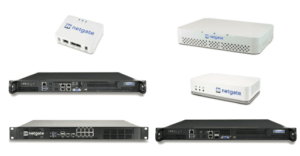
Netgate-branded appliances come with TAC Lite support and receive this and future software updates at no additional cost for the lifetime of the unit.
Upgrading from an earlier version of pfSense Plus software is typically conducted via the user interface. To ensure data integrity and recovery options, it’s crucial to back up your pfSense Plus configuration before initiating any significant changes, including upgrades. Detailed Backup and Recovery guidelines are available in the pfSense documentation available here: Backup and Recovery.
Instruction to upgrades from the user interface:
- Navigate to System > Update
- Set Branch to “Current Stable Version (25.11)”
- Click Confirm to start the upgrade process
Users running pfSense Plus on their own hardware
Upgrading pfSense on your own hardware follows the same procedure as on Netgate appliances, provided you have a valid subscription. If you need to renew your pfSense Pluse Software Subscription, please visit our online shop.
Users running pfSense Community Edition (CE)
We recommend upgrading from pfSense CE to pfSense Plus to take full advantage of the enhanced features and benefits of the Plus version. You can easily upgrade your pfSense CE by purchasing an activation token (pfSense+ Software Subscription).
If you need assistance to migrate from pfSense CE to pfSense Plus, talk with our certified pfSense Engineers.
Get in touch
ITG Customers
If you are an ITG customer with an active maintenance package or support contract, your are all covered. We will reach out to you shortly to finalize the details of the upgrade, which we will handle on your behalf.