


07 Apr pfSense Plus RELEASE 26.03
pfSense Plus RELEASE 26.03
pfSenseⓇ plus software, Release 26.03, is available now!

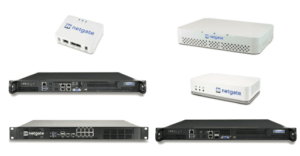
Users running pfSense Plus on Netgate Appliances
Netgate-branded appliances come with TAC Lite support and receive this and future software updates at no additional cost for the lifetime of the unit.
Upgrading from an earlier version of pfSense Plus software is typically conducted via the user interface. To ensure data integrity and recovery options, it’s crucial to back up your pfSense Plus configuration before initiating any significant changes, including upgrades. Detailed Backup and Recovery guidelines are available in the pfSense documentation available here: Backup and Recovery.
Instruction to upgrades from the user interface:
- Navigate to System > Update
- Set Branch to “Current Stable Version (26.03)”
- Click Confirm to start the upgrade process
Users running pfSense Plus on their own hardware
Upgrading pfSense on your own hardware follows the same procedure as on Netgate appliances, provided you have a valid subscription. If you need to renew your pfSense Pluse Software Subscription, please visit our online shop.
Users running pfSense Community Edition (CE)
We recommend upgrading from pfSense CE to pfSense Plus to take full advantage of the enhanced features and benefits of the Plus version. You can easily upgrade your pfSense CE by purchasing an activation token (pfSense+ Software Subscription).
If you need assistance to migrate from pfSense CE to pfSense Plus, talk with our certified pfSense Engineers.
Get in touch
ITG Customers
If you are an ITG customer with an active maintenance package or support contract, your are all covered. We will reach out to you shortly to finalize the details of the upgrade, which we will handle on your behalf.